So let’s get started
Step 1: To download the pycharm visit the website https://www.jetbrains.com/pycharm/
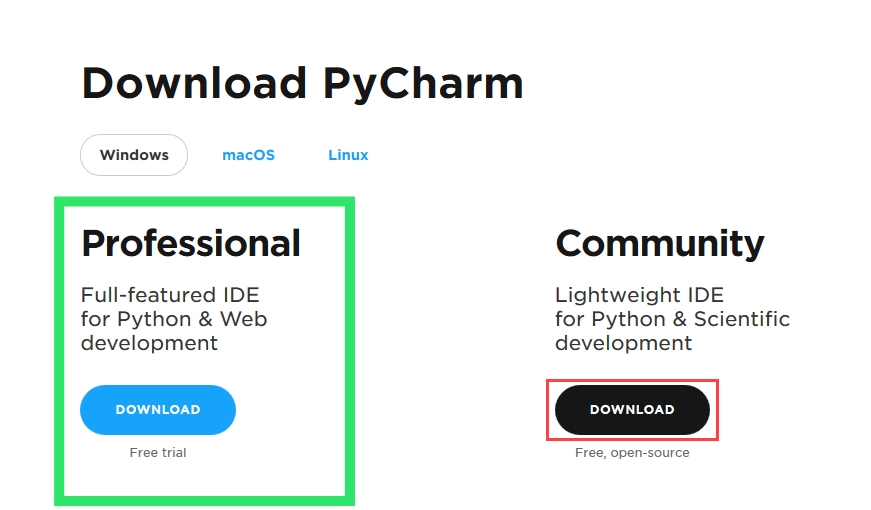
Step 2: click the download link under the professional section
Step 3: once the download is completed run the exe file
Step 4: On the next screen, Change the installation path if required. Click “Next”.
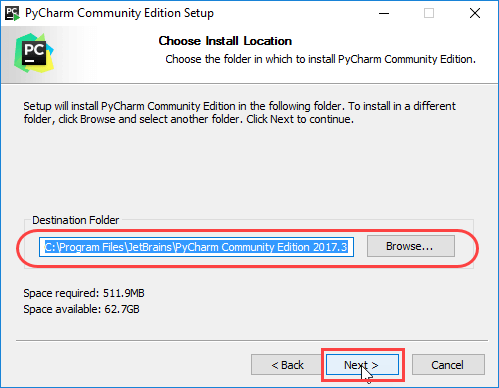
Step 5: you can create desktop shortcut if you want to or click on next to proceed further
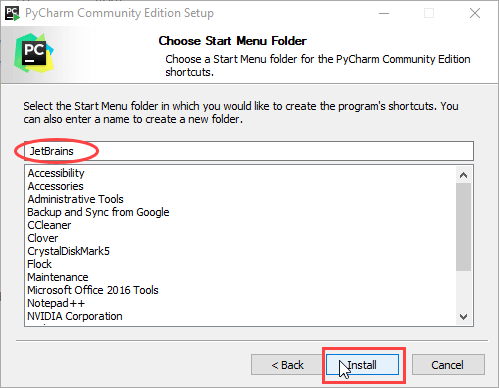
Step 6: Choose the start menu folder. Keep selected JetBrains and click on “Install”.
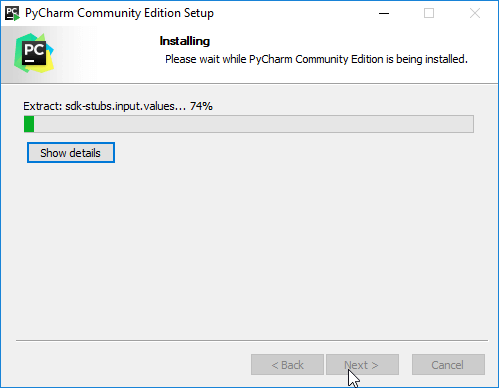
Step 7:Wait for the installation to finish.
Step 8: Once installation finished, you should receive a message screen that PyCharm is installed. If you want to go ahead and run it, click the “Run PyCharm professional Edition” box first and click “Finish”.
After installing it will pop up activate pycharm and evaluate for free click on evaluate for free and then proceed
All jetbrains IDE is free for students and teachers for one year if you have student email you will be able to get education package
How to get pycharm professional activation code for free
Just follow the steps given below:
Step 1: open any browser and type and type jetbrains education
Step 2: click on the first link( which I have shown below)

Step 3: click on apply now
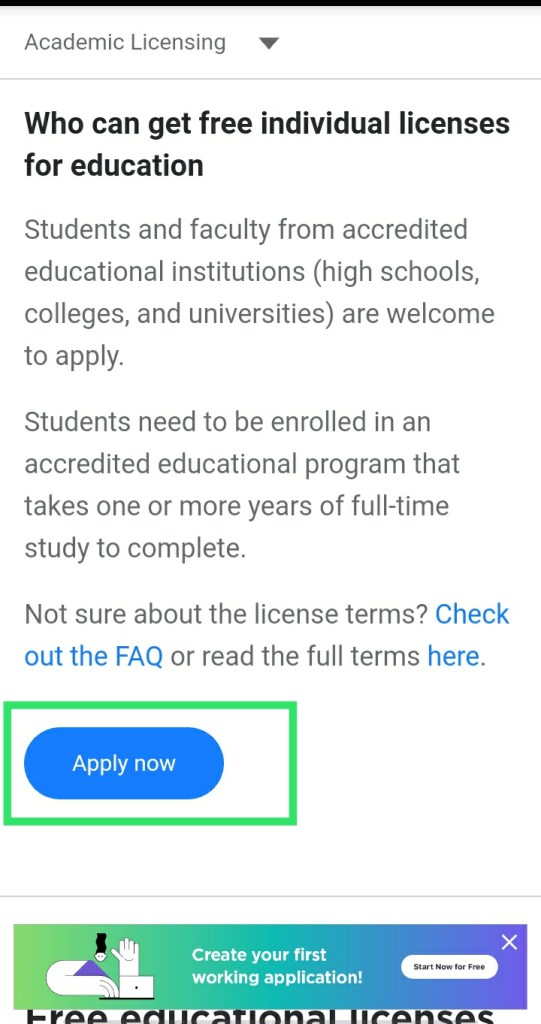
Step 4: after clicking on apply now it will show some procedural steps for earning an free activation of pycharm professional.
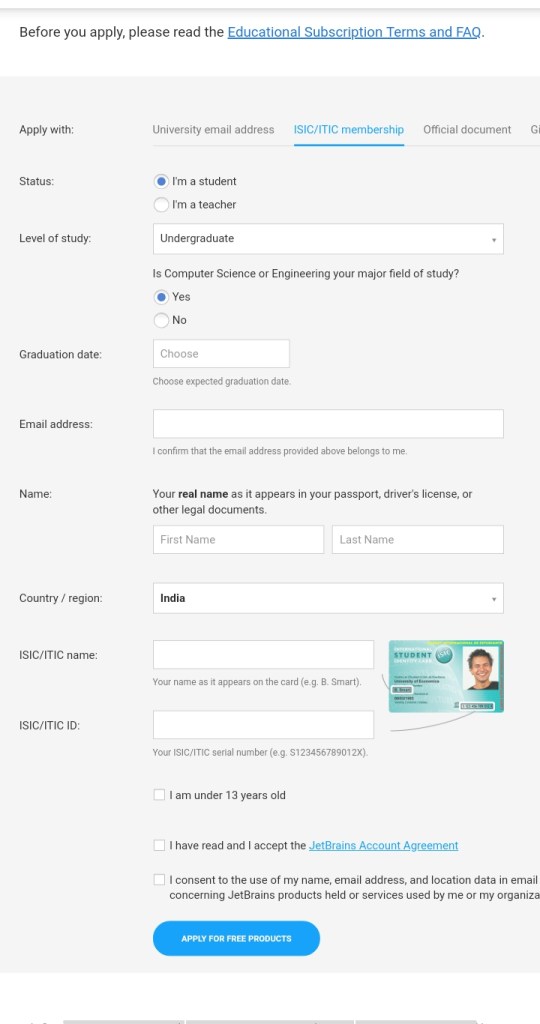
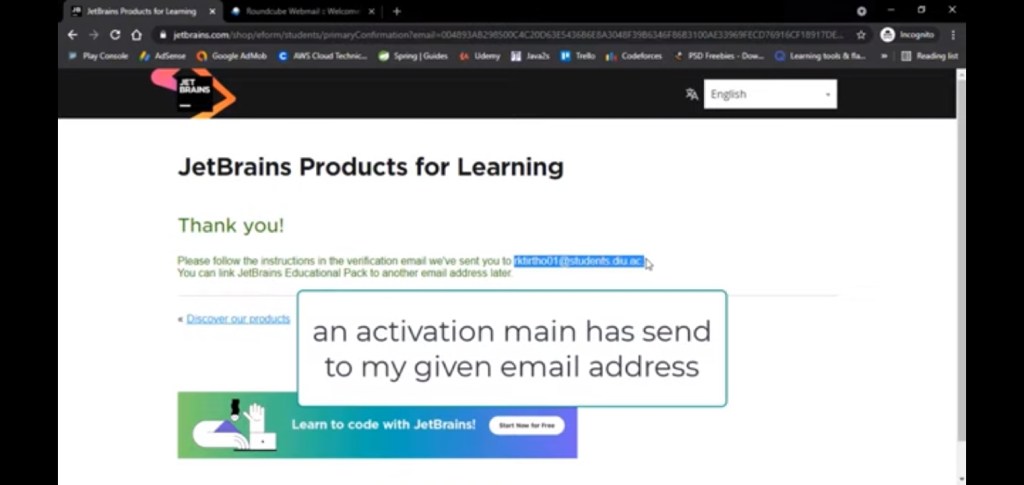
Step 5: fill all the details correctly and click on apply for free products. An activation main has been sent to my given email address
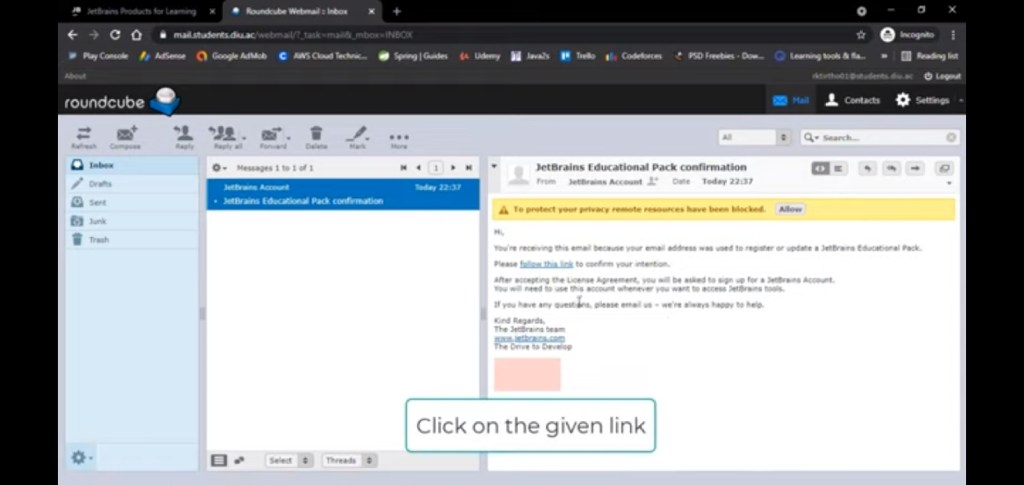
Step 6: click on the link which has been sent to your email address
Step 7: after that accept all the terms and create jetbrains Id and if you have jetbrains Id then login and proceed next
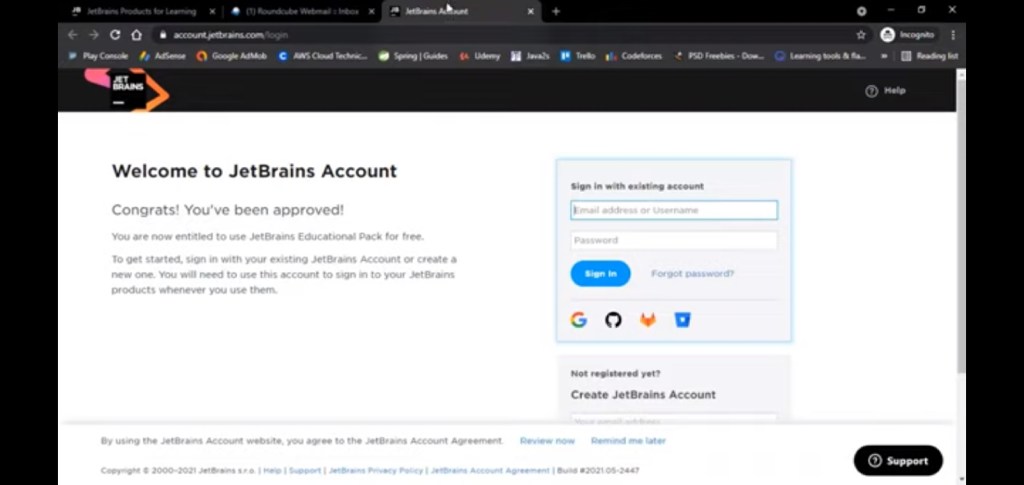
Step 8: after logging successfully into your jetbrains account fill or complete the registration form.
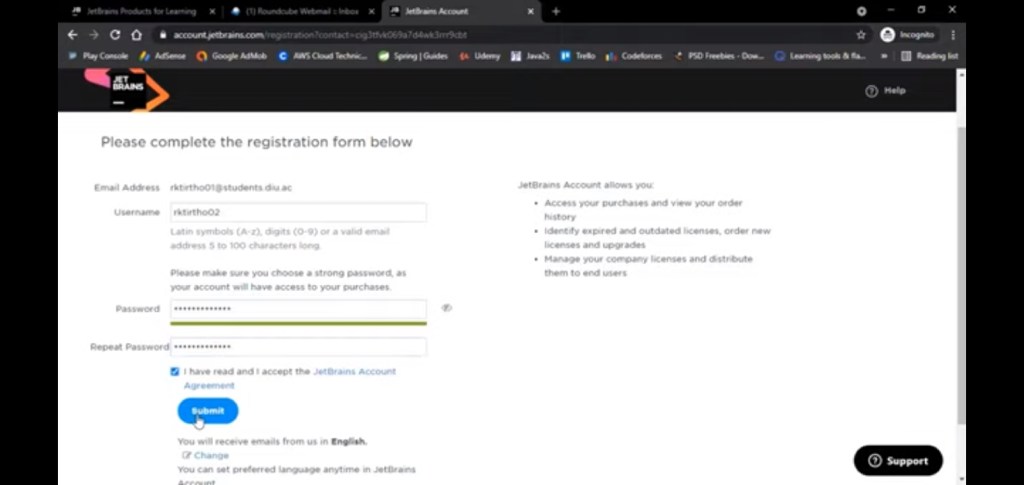
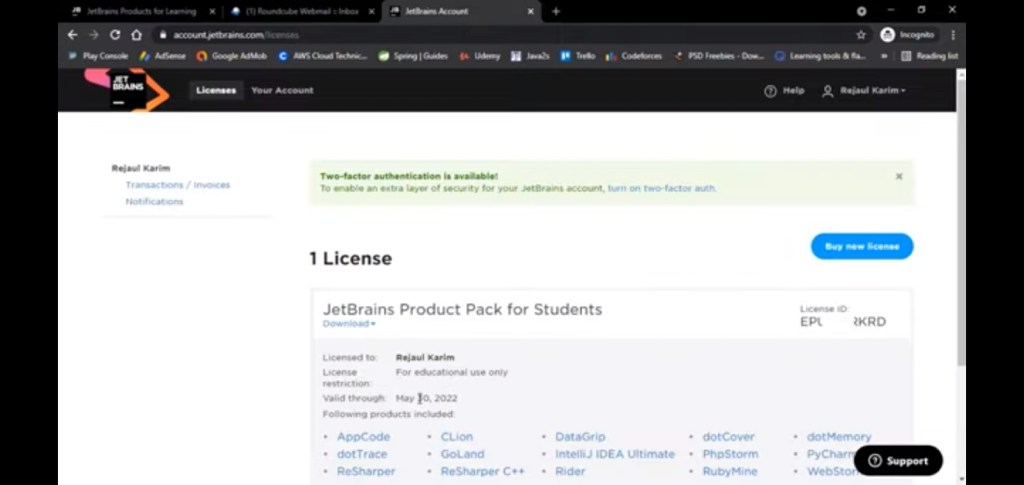
Step 9: after completing above steps you will get a license code or activation code for your pycharm professional edition ( all IDE’s are freely available)
Step 10: Now let’s login your pycharm bu your jetbrains id
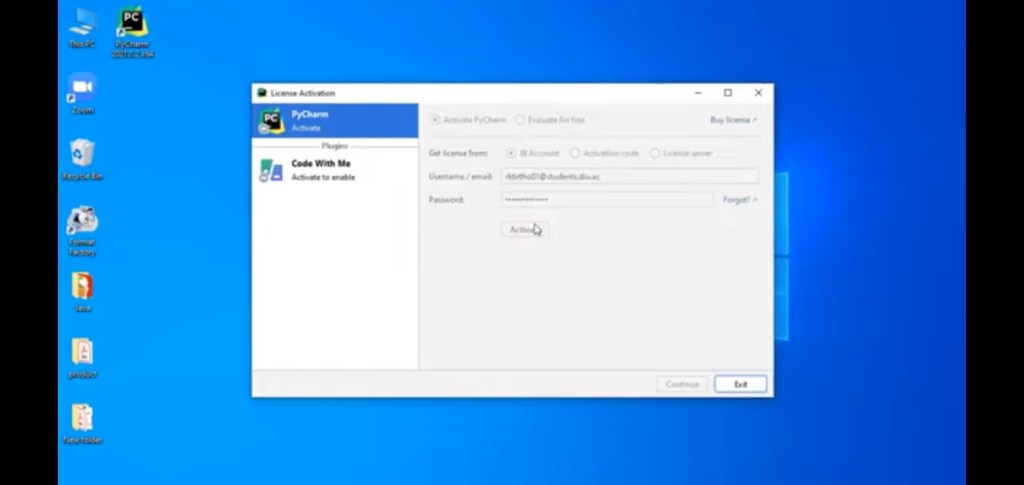
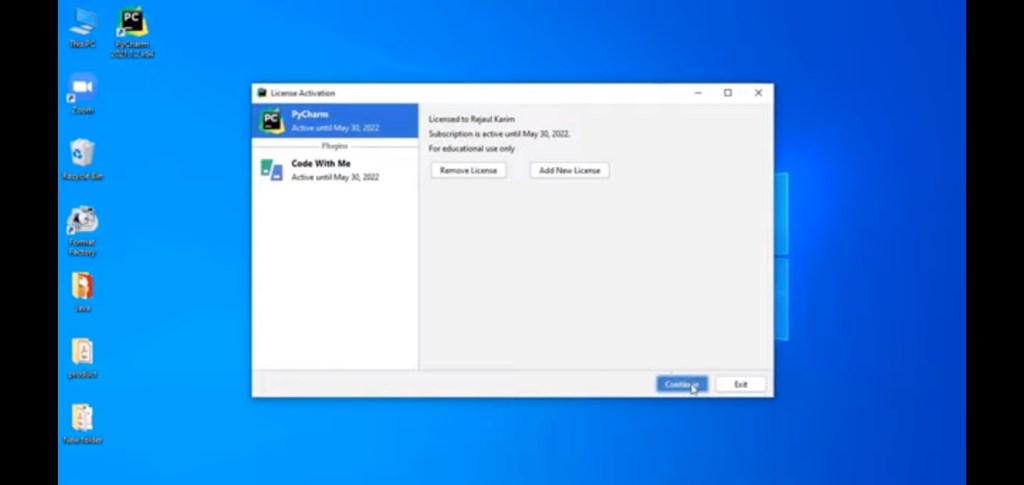
Now your subscription is active click on continue and enjoy pycharm professional edition for free
 Tips and tricks